You will start spotting fonts and styles that match your brand, user, or content automatically. AI now reads letter shapes and context, then generates or tweaks fonts to fit mood, screen size, and accessibility needs in real time. This means your typography can be both recognized and personalized on the fly, giving you consistent, readable, and unique text across apps and devices.
Imagine snapping a picture of handwriting or a logo and getting a matching typeface tuned to contrast, line height, and reading comfort for your audience. The blend of recognition tech and generative systems lets you create fonts that adapt to users, platforms, and even individual vision needs without manual tweaking.
Key Takeaways
- Systems can identify font features and match them to new designs.
- Generated type can adapt layout and legibility for different users.
- These tools are changing how designers deliver consistent, accessible typography.
Core Technologies in Font Recognition
You will learn which models and tools power font detection, how OCR has changed, and how systems plug into websites and apps. The technologies below shape accuracy, speed, and how fonts get personalized for readers.
Machine Learning Algorithms for Font Detection
Modern font detection uses convolutional and transformer-based neural networks trained on labeled font images. These models learn stroke shapes, serif vs. sans patterns, and spacing cues. You will see architectures like CNNs for local texture and Vision Transformers for global layout.
Training relies on large, varied datasets with different sizes, weights, and rendering contexts. Data augmentation—rotations, noise, and background blends—helps models handle real-world scans and screenshots. Metrics you should watch are top-1/top-5 accuracy, confusion between similar families, and inference latency on mobile devices.
For production, you often compress models or use FasterViT-style hybrids to balance speed and accuracy. That lets your app recognize fonts in under 100–300 ms on modern phones while keeping high recall for common families.
Optical Character Recognition Advances
OCR now goes beyond raw text extraction to capture glyph shapes and typographic features. You will get vector outlines, baseline and x-height measurements, and character spacing data from modern OCR pipelines. This extra structure helps classify fonts even when text is noisy.
Neural OCR uses sequence models and attention to align characters across low-quality scans. Combined OCR-plus-classifier systems extract text and feed glyph images into font detectors. That reduces errors when mixed languages or decorative glyphs appear.
Keep an eye on contextual OCR that preserves layout blocks and font metadata. It helps when you need per-paragraph font predictions or to map predicted fonts back into editable formats like HTML or design files.
Integration With Digital Content Platforms
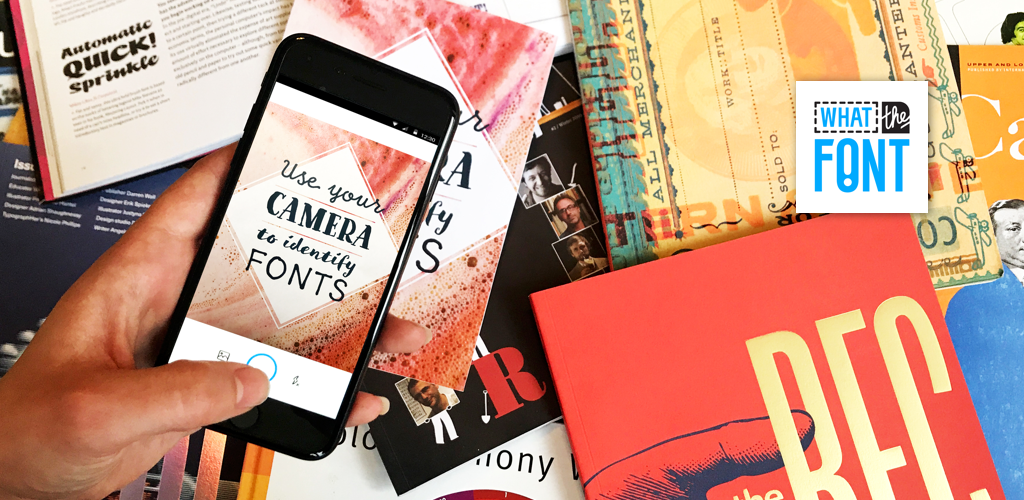
You can embed font recognition into CMS, design tools, and browsers via APIs or client libraries. Typical workflows send an image or DOM snippet to a service that returns font family, weight, and matching web fonts. Tools such as whatthefont.app can quickly identify fonts from screenshots and images, making it easier to find matching typefaces for web and design projects. Response payloads often include CSS snippets and download links.
Real-time features let your users get live font suggestions while editing. Batch pipelines analyze entire sites to create style guides or replace proprietary fonts with web-safe equivalents. Security and privacy matter: process images client-side or strip metadata when sending examples to cloud models.
For personalization, connect font predictions to user profiles and reading metrics. You can then serve recommended fonts tuned for readability, device, and user preference through A/B tests or adaptive text-rendering engines.
Personalization Techniques in Typography
You will learn how systems use data about you, the page context, and accessibility needs to pick or create fonts. The methods include profiling user reading habits, changing font rendering by device and task, and tailoring features for readers with visual or cognitive needs.
User Profiling for Custom Typography
You give systems signals like reading speed, preferred font features, and device type. Systems collect explicit choices (font size, high-contrast mode) and implicit data (which fonts you keep, where you pause, how fast you scroll). Machine learning models match these signals to font attributes such as x-height, stroke contrast, and character spacing.
You can allow profiles to store demographics, language, and task context (long reads vs. skimming). The system then recommends or generates fonts that suit your needs—larger x-height for small screens, wider letter spacing for slow readers, or serif vs. sans choices based on reading task.
You should be able to edit or reset profiles. Keep control over what data feeds personalization and whether the system uses adaptive suggestions or fixed choices.
Adaptive Font Rendering Based on Context
Rendering adapts to screen size, resolution, and the text’s role on the page. On mobile, variable fonts can reduce file size and smoothly change weight or width to improve legibility. On high-resolution displays, hinting and subpixel tuning improve crispness for small sizes.
Systems use context signals like lighting, distance (camera or sensor input), and reading task to switch rendering modes. For example, a news app may use denser type for headlines and looser spacing for body text; an editor may favor monospaced or high-contrast styles for code.
You get faster load times with smart font loading: the system serves only needed font axes or subsets. That lowers bandwidth while keeping visual consistency across devices.
Accessibility Improvements via Personalization
Personalization addresses visual and cognitive differences directly. For low-vision users, the system can increase x-height, weight, and letter spacing, or choose fonts with open counters to reduce character confusion. For dyslexia, adjustments include heavier baselines, increased inter-letter spacing, and distinct glyph shapes.
Assistive settings can be toggled or learned automatically from usage. The system can generate font variants that preserve branding while meeting accessibility guidelines like WCAG contrast and minimum readable sizes.
You can expect features that combine recognition and generation: the system recognizes problematic letter pairs and modifies glyph forms, or it creates high-legibility versions of a brand font without losing its identity.
Impacts on User Experience and Design
These technologies change how users see brands, how messages adapt to readers, and how designers balance look and legibility. You will see new tools that map fonts to brand signals, generate tailored copy and style, and test readability across devices.
Enhancing Brand Identity Through Custom Fonts
You can make your brand voice clearer by using fonts that match tone and values. Font recognition tools identify the styles competitors use and let you pick or generate a unique typeface that keeps visual cues consistent across web, app, and print.
Use cases matter. For product pages, a high-contrast geometric font can signal modernity. For long-form content, a humanist serif suggests trust and tradition. AI can produce slight variations—weight, x-height, spacing—so your brand retains a family of related fonts for headings, body text, and UI.
Measure impact with simple metrics: engagement rate, time on page, and conversion lift. Test variants in A/B tests and track legibility issues across devices. That makes brand-driven font choices both creative and data-guided.
Dynamic Text Generation for Targeted Communication
You can deliver messages that match reader context by pairing recognition with text generation. Systems detect the page layout, user segment, and preferred reading speed, then pick a font and rewrite headlines for clarity or tone.
This matters in email and ads. For example, the engine can swap a playful font and concise copy for younger users, while choosing a formal typeface and fuller sentence structure for professional audiences. It adjusts line length, emphasis, and microcopy to fit mobile screens and assistive tech.
Implement rules for consistency: brand tone, legal text, and accessibility thresholds. Monitor performance by tracking click-throughs and readability scores. That ensures dynamic changes stay effective and compliant.
Balancing Aesthetics and Readability
You must weigh style against how fast and accurately people read. Decorative or ultra-condensed fonts can attract attention but slow comprehension, especially for users with dyslexia or on small screens.
Apply clear thresholds: minimum x-height, contrast ratios, and average reading speed targets. Use font pairing rules—distinctive display fonts for headings and neutral, highly legible fonts for body text—to keep pages attractive yet scannable.
Run quick usability checks: measure reading speed, error rates in forms, and user preference surveys. Keep fallback fonts and variable font axes (weight, width, optical size) ready so you can tune appearance without harming readability.
read more : 4 Simple Ways to Increase Efficiency in Your Business
Future Directions and Industry Adoption
You will see more real-time font personalization in apps and websites as recognition and generation tools improve. Variable fonts and AI models let interfaces adapt weight, spacing, and style to your reading speed, lighting, or device size.
Brands will use dynamic typography to strengthen identity and context. For example, a sports app might increase letter energy during live events, while a meditation app could soften type when it detects slow breathing.
Expect tools that let you create custom fonts from your handwriting or voice with little design skill. AI can analyze shapes and generate a full type family, making bespoke typography accessible to small teams and individual creators.
Adoption hinges on standards, privacy, and performance. Web and OS support for variable fonts, plus efficient on-device inference, will speed rollout. You should watch for privacy controls that limit biometric or behavioral data used to personalize type.
Key industry moves to watch:
- Design platforms adding AI font creation and recommendation.
- UI frameworks offering built-in adaptive typography components.
- Type foundries partnering with ML firms to produce hybrid design-AI toolchains.
You will benefit when these systems include clear controls and fallback options. That ensures accessibility and consistent branding across contexts and keeps personalization practical rather than intrusive.