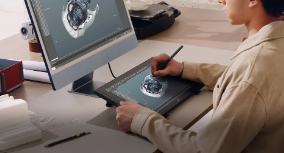
Improving game animation design skills requires more than learning animation software. A strong game animator needs to understand movement, timing, character behavior, visual storytelling, and the technical requirements of interactive games. Unlike linear animation, game animation must respond to player input and work smoothly across different gameplay situations. This means artists need both creative judgment and technical awareness. Choosing the best tool for game animation design can also make practice and creative work more efficient.
The most effective way to improve is to combine fundamental animation knowledge with regular practice and project-based learning. Studying existing animations can reveal how professional artists handle weight, anticipation, and transitions, while creating original exercises helps turn those observations into practical skills. Suitable drawing tools can further support the creative process by providing more precise control during sketching, pose development, and animation preparation.
1. What Skills Are Important for Game Animation Design?
Understanding Motion and Timing
Timing is one of the most important foundations of game animation design. It determines how quickly a character moves, how much weight an action appears to have, and how responsive an animation feels during gameplay. A movement lasting 10 frames at 30 frames per second takes approximately 0.33 seconds, while the same movement lasting 20 frames takes about 0.67 seconds. Even this simple difference can significantly change the perceived speed of an action. Animators should practice analyzing movement in terms of:
· Timing: How long does each action take?
· Spacing: How far does the character move between frames?
· Acceleration: Does the movement start or stop gradually?
· Weight: Does the motion communicate the character’s physical mass?
· Rhythm: Does the sequence contain natural variation?
For game animation design, timing also needs to match gameplay requirements. An attack animation, for instance, may need a clear anticipation phase followed by a fast action and a readable recovery phase. If these sections are poorly balanced, the animation may look attractive but feel unresponsive to players.
Developing Character Animation Skills
Character animation requires an understanding of anatomy, body mechanics, balance, and pose construction. Beginners can start with basic actions such as walking, running, jumping, turning, reaching, and lifting instead of immediately working on complex combat or cinematic sequences. Breaking each movement into key poses before adding in-between frames is a practical way to understand how motion develops. For instance, a simple walk cycle can use contact, passing, down, and up positions, with a 12–24-frame cycle providing a manageable starting point for practice.
Strong character animation skills are important for game animation design because movement helps communicate a character’s state and personality during gameplay. Changes in posture can suggest emotions or physical conditions such as confidence, fear, fatigue, or aggression. By studying body mechanics and practicing different poses and movements, animators can create clearer and more believable character actions.
Learning Game Animation Principles
Traditional animation principles remain useful, but game animation adds another layer: interaction. Animations must function within an interactive system rather than simply follow a predetermined timeline. Understanding the following principles gives artists greater control over game animation design, particularly when adapting traditional animation techniques to interactive characters:
1. Anticipation – prepares the viewer for an upcoming action.
2. Squash and stretch – helps communicate flexibility and impact.
3. Follow-through – allows secondary body parts or clothing to continue moving naturally.
4. Exaggeration – makes important actions easier to read.
5. Arcs – help create believable movement paths.
6. Secondary action – adds detail without distracting from the main movement.
2. How Can You Practice Game Animation Design?
Start With Basic Movement Exercises
Consistent practice is more effective than attempting a large project once and then stopping. Beginners can create short exercises that focus on one specific movement problem at a time. A practical weekly routine might include:
| Practice Focus | Suggested Duration |
| Motion observation | 20–30 minutes |
| Pose drawing | 30 minutes |
| Keyframe exercise | 30–60 minutes |
| Animation review | 15–20 minutes |
| Reference analysis | 20 minutes |
The exact schedule can vary, but practicing for 30–60 minutes several times per week provides enough repetition to identify weaknesses. For game animation design, it is useful to record each exercise and compare versions rather than relying only on memory. Beginners should also practice at different frame rates. Working at 24, 30, and 60 frames per second demonstrates how timing changes the appearance of the same movement. Although frame rate does not automatically determine animation quality, understanding its effect is valuable when preparing assets for real-time games.
Study and Recreate Existing Game Animations
Analyzing professional game animation is one of the fastest ways to understand practical decisions. Instead of simply watching an animation, examine what happens frame by frame. Ask questions such as:
· When does the character begin anticipating the action?
· Which pose receives the most visual emphasis?
· How quickly does the character reach maximum speed?
· How many frames are used for the transition?
· Does the animation clearly communicate its gameplay purpose?
Recreating a short movement can also be useful, provided the exercise is treated as study rather than copied work for publication. An animator might select a 1–2 second movement, identify its key poses, and rebuild the motion independently. This approach helps connect theoretical principles with practical game animation design decisions and makes it easier to recognize patterns in professional work.
Build Short Animation Projects
Small projects provide a more practical way to improve than repeatedly practicing isolated exercises. Beginners can create a character with five basic actions, such as idle, walk, run, jump, and attack, then focus on making each movement clear and consistent. Once the individual animations work well, transitions between actions can be added, such as idle to walk, walk to run, and run to stop. These transitions can reveal timing and movement issues that may not be obvious when animations are viewed separately.
Short projects also introduce practical production requirements. Artists need to consider animation length, looping behavior, root movement, naming conventions, and state transitions while connecting different actions. Working through these details helps beginners understand how individual animations function within an interactive system and develop more practical game animation design skills.
3. How Can Drawing Tools Improve Your Game Animation Design Skills?
Improve Precision and Drawing Control
Drawing is important even when animation is created in 3D. Character concepts, gesture studies, pose exploration, storyboards, and motion sketches all require precise control. A pressure-sensitive stylus gives artists more natural control over lines and strokes, making it easier to explore different poses and movement ideas during the early stages of game animation design.
For artists who need precise drawing control, a spacious workspace, and a portable setup, the XPPen Artist 16 3rd is a good choice. Its responsive stylus and comfortable drawing surface support detailed sketching and pose development, while the display provides a practical workspace for viewing and refining visual ideas. Its main specifications include:
| Feature | Specification |
| Display | 15.4-inch Full HD |
| Resolution | 1920 × 1080 |
| Pressure Levels | 16K |
| Initial Activation Force | 2 g |
| Pen Tip Travel Distance | 0.3 mm |
| Shortcut Controls | X-Dial + 8 Customizable Keys |
| Color Gamut | 99% sRGB |
| Color Accuracy | Delta E < 1.5 |
| Surface | AG+AF Nano-etched Glass |
| Stand | Foldable Stand |
| Connection | One Cable |
Speed Up the Animation Creation Workflow
Animation development involves repeated actions such as zooming, changing brush size, undoing, copying, and switching tools. Customizable shortcut keys and a dial can provide quick access to frequently used commands, reducing interruptions and limiting the need to switch between the drawing device and keyboard. This allows artists to maintain focus while working on animation concepts and sketches.
Portability can also make regular practice more convenient. A foldable stand and one-cable connection simplify setup in different locations, while responsive pen input supports continuous sketching and visual experimentation. Together, these features can help artists spend more time refining the poses and movements needed for game animation design.
4. Conclusion
Improving game animation design skills requires consistent practice, observation, and technical understanding. Start with basic principles such as timing, spacing, weight, and body mechanics, then gradually move to more complex interactive animations. Studying professional work, recreating movements for practice, and reviewing your own animations can help improve poses, transitions, and responsiveness.
Rather than trying to master everything at once, focus on small improvements through regular practice and project-based learning. Testing animations in gameplay and using suitable drawing tools can further improve precision and workflow efficiency. With continuous iteration, beginners can develop stronger game animation design skills and create animations that are both visually convincing and effective in gameplay.